

More time for what matters.
Clock-ins, breaks, and clock-outs are recorded automatically with a quick tap. Your team keeps working while working hours and attendance stay clearly in view.
Three Docks. Clear time tracking.
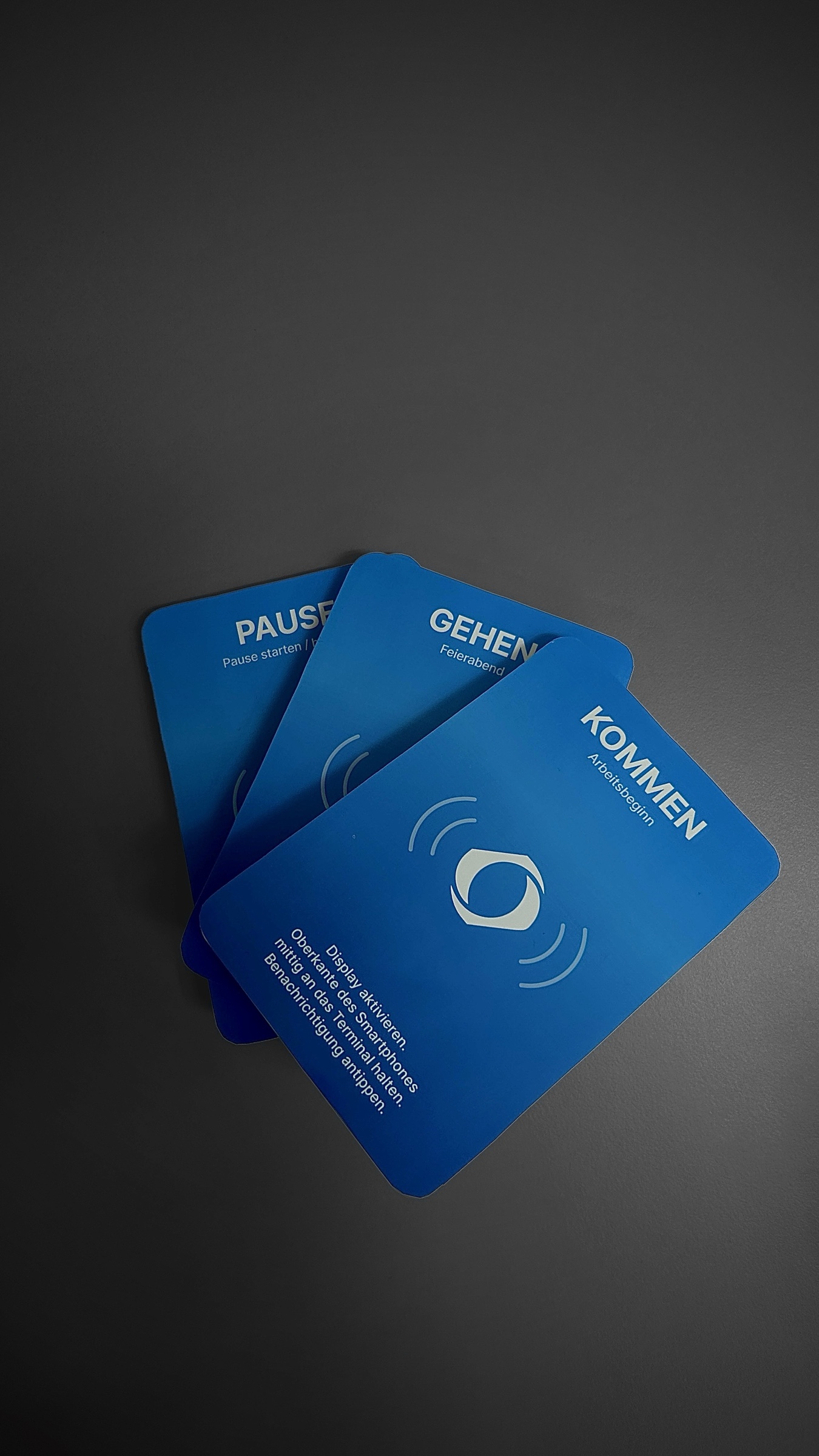
There is a dedicated NFC point for starting work, taking a break, and clocking out. Employees simply tap their smartphone on the relevant point, and Zeitcore automatically records the corresponding time.
The software behind it.
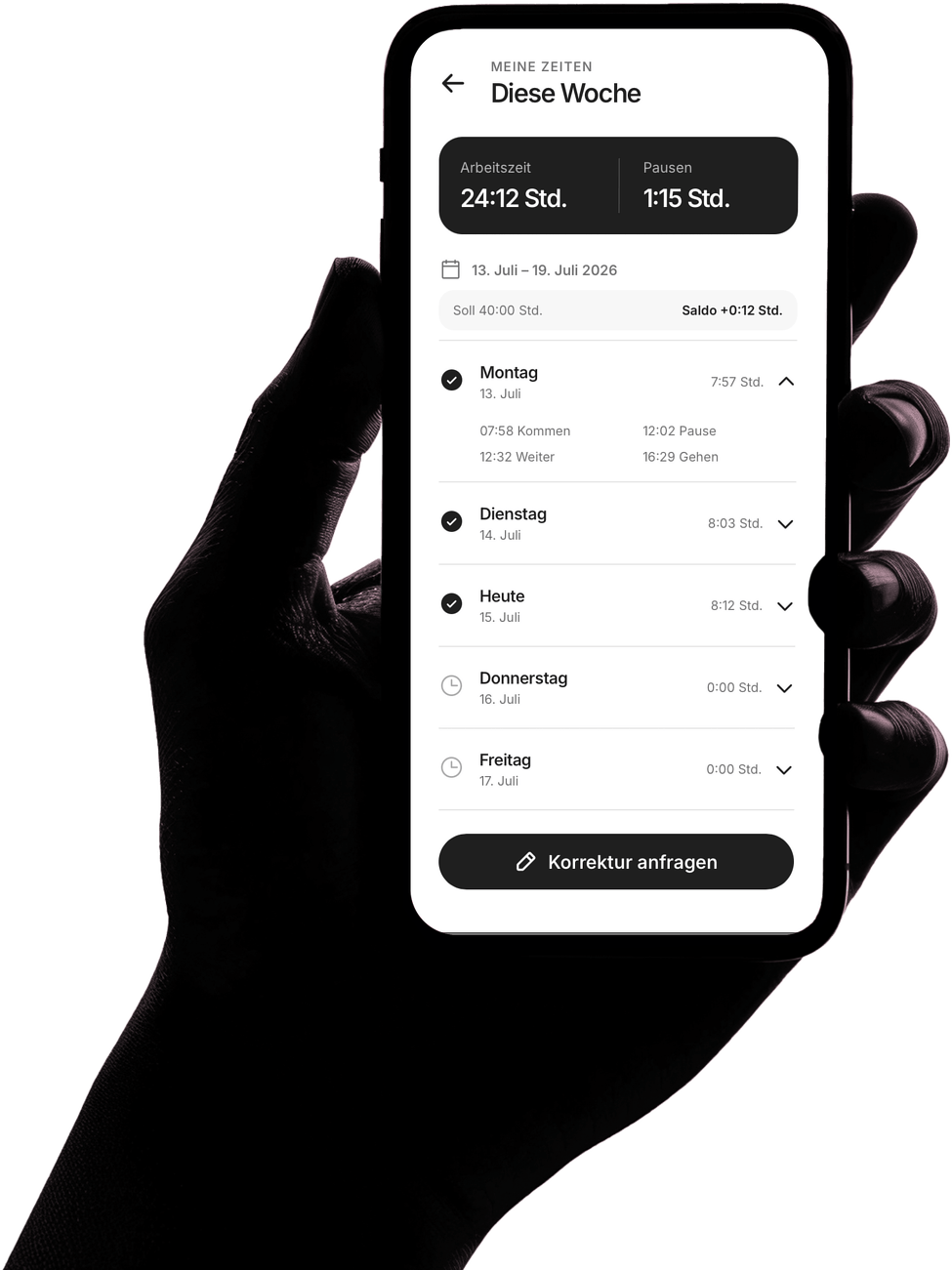
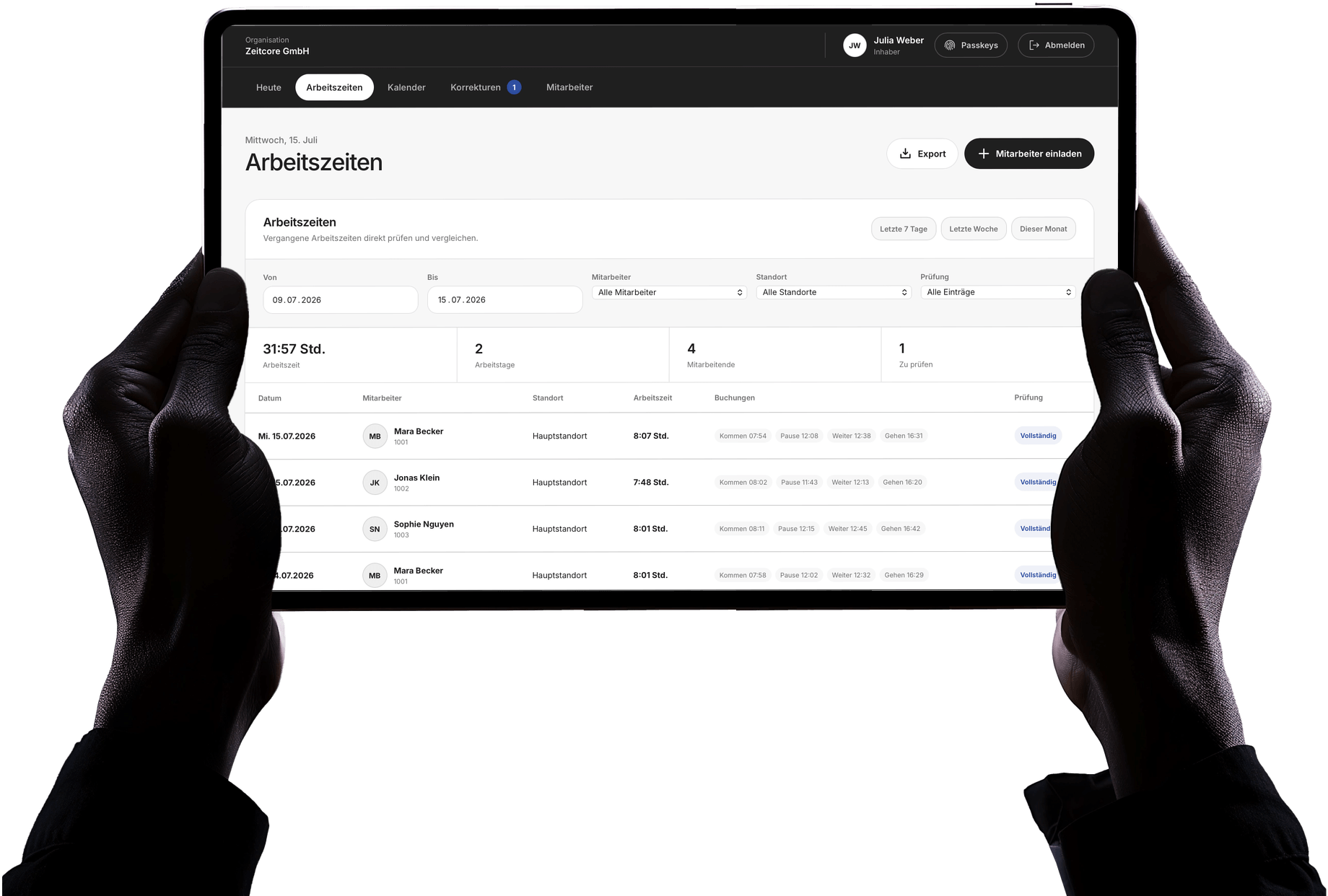
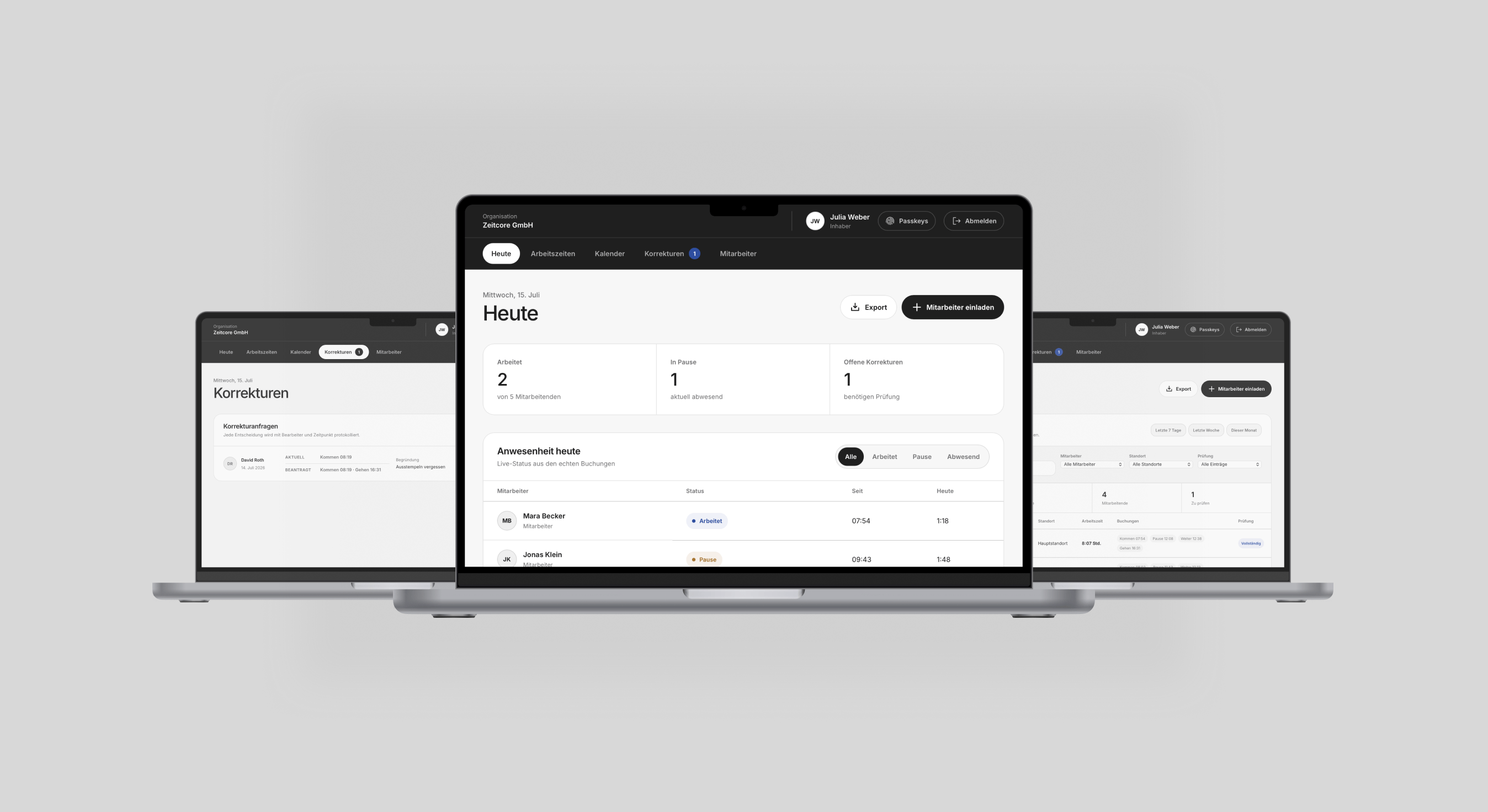
Employees clock in with a quick tap and keep track of their week. Managers can see recorded working hours centrally in the admin dashboard.
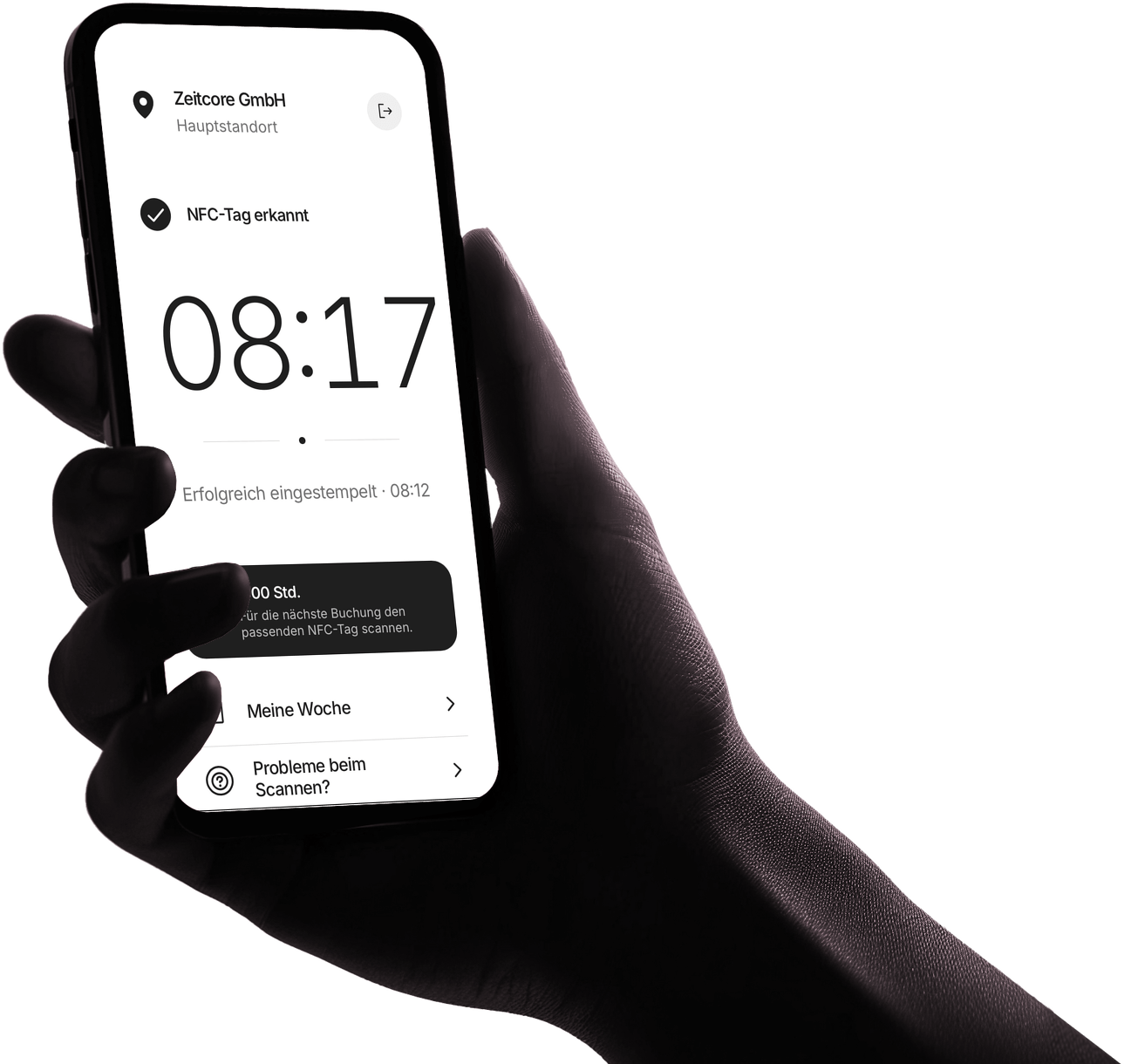
A clear start to the workday.
A quick tap automatically records the start of the workday—no need to enter a time or select an action.
Less effort. More clarity.
Zeitcore keeps time entry simple for employees and gives managers a clear overview.
Clock in. See the result. Get back to work.
Zeitcore processes every tap automatically and displays the result right away. Employees can easily follow their week, with a clear way to request corrections if anything looks off.
- No manual time entry every day
- Instant feedback after every recorded time
- A clear view of their own hours
Current status at a glance
Managers can spot attendance, breaks, and open time periods early. Corrections are reviewed in an orderly process, and completed periods are ready to share.
- Attendance and breaks clearly visible
- Spot incomplete days early
- Prepare reviewed periods for payroll
Ready in 30 minutes.
We set up your site and onboard your team. After that, Zeitcore is ready to use.
Get your site ready| Setup | Traditional project approach | Zeitcore |
|---|---|---|
| Hardware | Source terminals, cards, or key fobs yourself | NFC points are included in setup |
| Power supply | Plan for power outlets, cabling, or battery changes | Passive NFC points work without a power connection, cables, rechargeable batteries, or disposable batteries |
| Access | Issue and manage PINs, cards, or key fobs | Personal access with no daily PIN or key fob |
| Installation | Coordinate IT appointments, installation, and configuration | We install the NFC points and set everything up properly on site |
| Employees | Plan training and distribute instructions | We set up employee profiles and explain the process during onboarding |
| Go-live | Plan the project, coordinate stakeholders, and complete remaining setup tasks | Ready in around 30 minutes at a prepared standard site |
The effort involved with traditional systems varies by provider. Zeitcore includes the setup steps listed above as part of onboarding.
Frequently asked questions. Clear answers.
The essentials about setup, everyday use, and operations—answered briefly.
Ask another questionReady to track time without the daily hassle?
See how Zeitcore means fewer questions, less follow-up work, and a calmer workday.
Discover Zeitcore